Open Chrome, click on the link below from your smartphone to download the .apk file
KONE DX Experience
Demonstrate in a playful way the new KONE DX solutions with interactive demonstrations to be more convincing in meetings.

How to install the KONE DX Experience application on your smartphone?
> Installation on Android
To install the application on your Android smartphone, please follow these simple steps.
Step 1
Open Chrome, click on the link below from your smartphone to download the .apk file
You can also access this page by scanning this QR code:

Step 2
Once the application downloaded to your device, you cannot open it without having authorized it first.
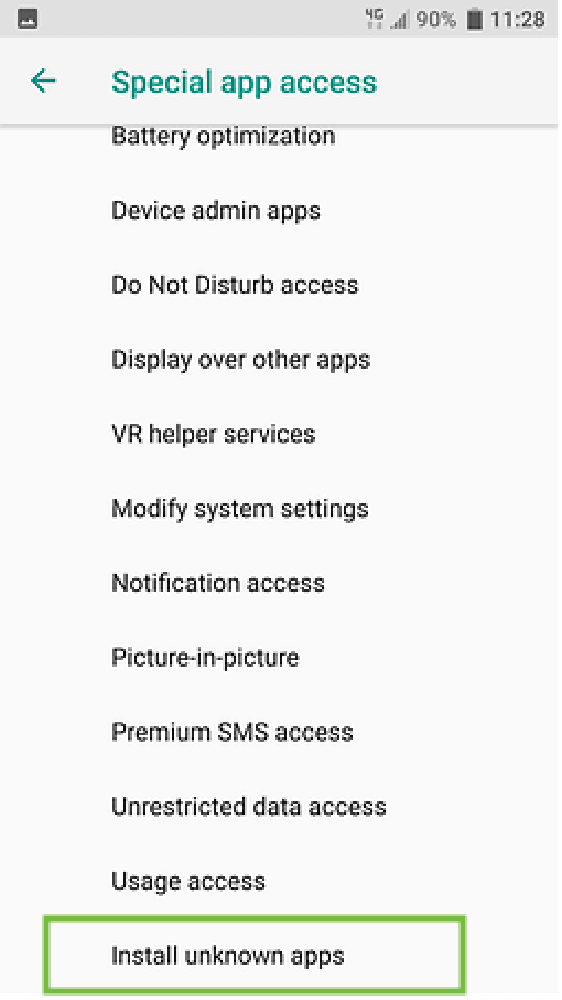
On Android 11.0 : Go to Settings > Apps and notification > Advanced > Special App Access > Install unknown apps
On Android older versions : Go to Settings > Security > Install unknown apps
Step 3
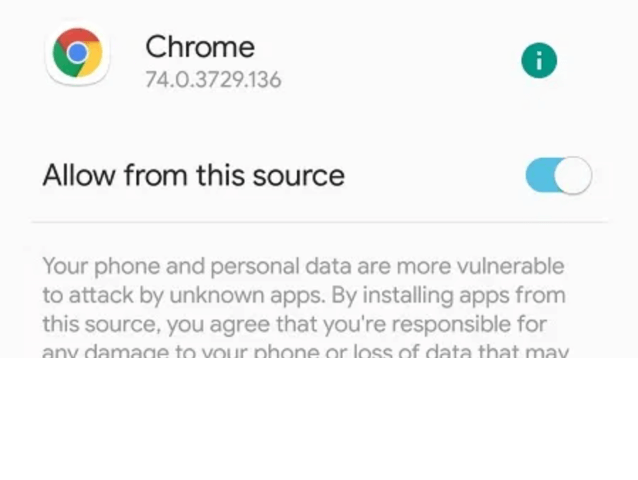
On this screen, click on "Enable unknown sources".
Step 4
We're done ! You can now open the application directly without having to do again this manipulation.
As a precautionary measure, we advise you to deactivate this option once the manipulation completed.
> Installation on iOS
To install the application on your iPhone, please follow these simple steps.
Step 1
Open Safari imperatively, click on the link below from your smartphone to download the .ipa file
You can also access this page by scanning this QR code:

Step 2
Once the application downloaded to your device, you cannot open it without having authorized it first.
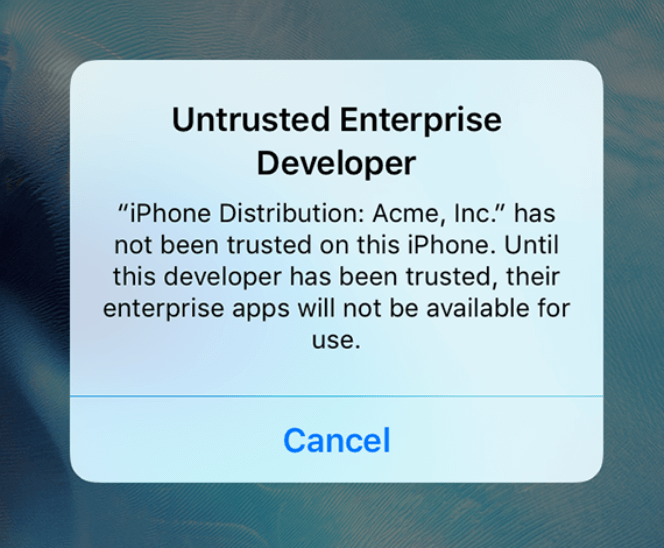
If this notification message pops up, just ignore it.
Step 3
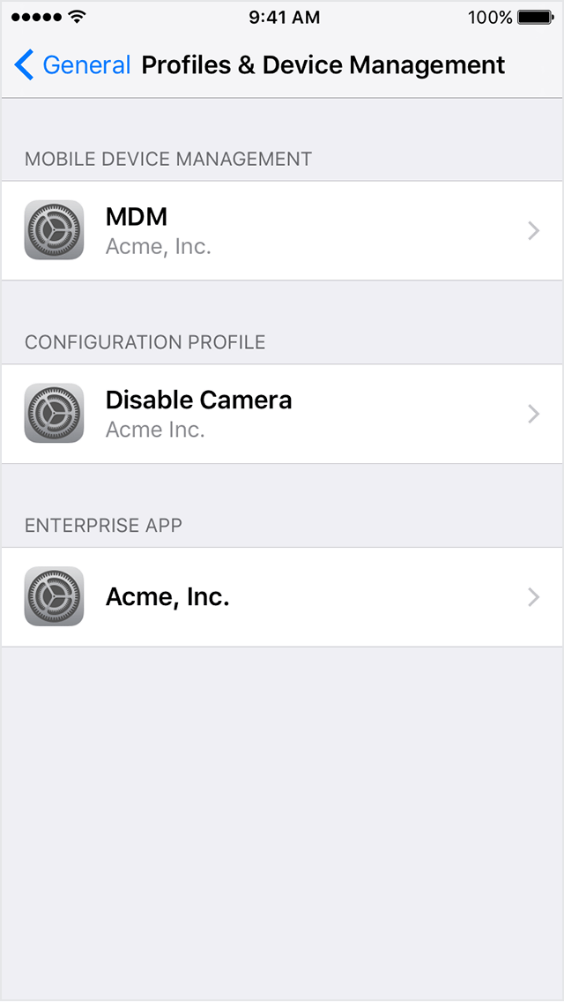
Go to Settings > General > Device Management.
On this screen, click on "Trust KONE Ojy".
Step 4
We're done ! You can now open the application directly without having to do again this manipulation.
The KONE DX Experience application is intended for the KONE sales force for demonstration purposes.